The Archive · Reference
Models & providers
Local or cloud, on each surface — the engines, the providers, and where your keys are kept.
Checked on Desktop 0.1.15CLI 0.1.0Android 0.1.38
A newer version is out (Desktop 0.1.25, CLI 0.5.2, Android 0.1.40): some details may differ.
Local or cloud
Section titled “Local or cloud”- Local: the model runs on your own hardware, and the conversation stays on the device.
- Cloud: the model runs at the provider you choose, with your own API key. The conversation goes straight to that provider, with no TALOS server in between.
Downloading a model or searching the web uses the network for that action only.
On TALOS Desktop
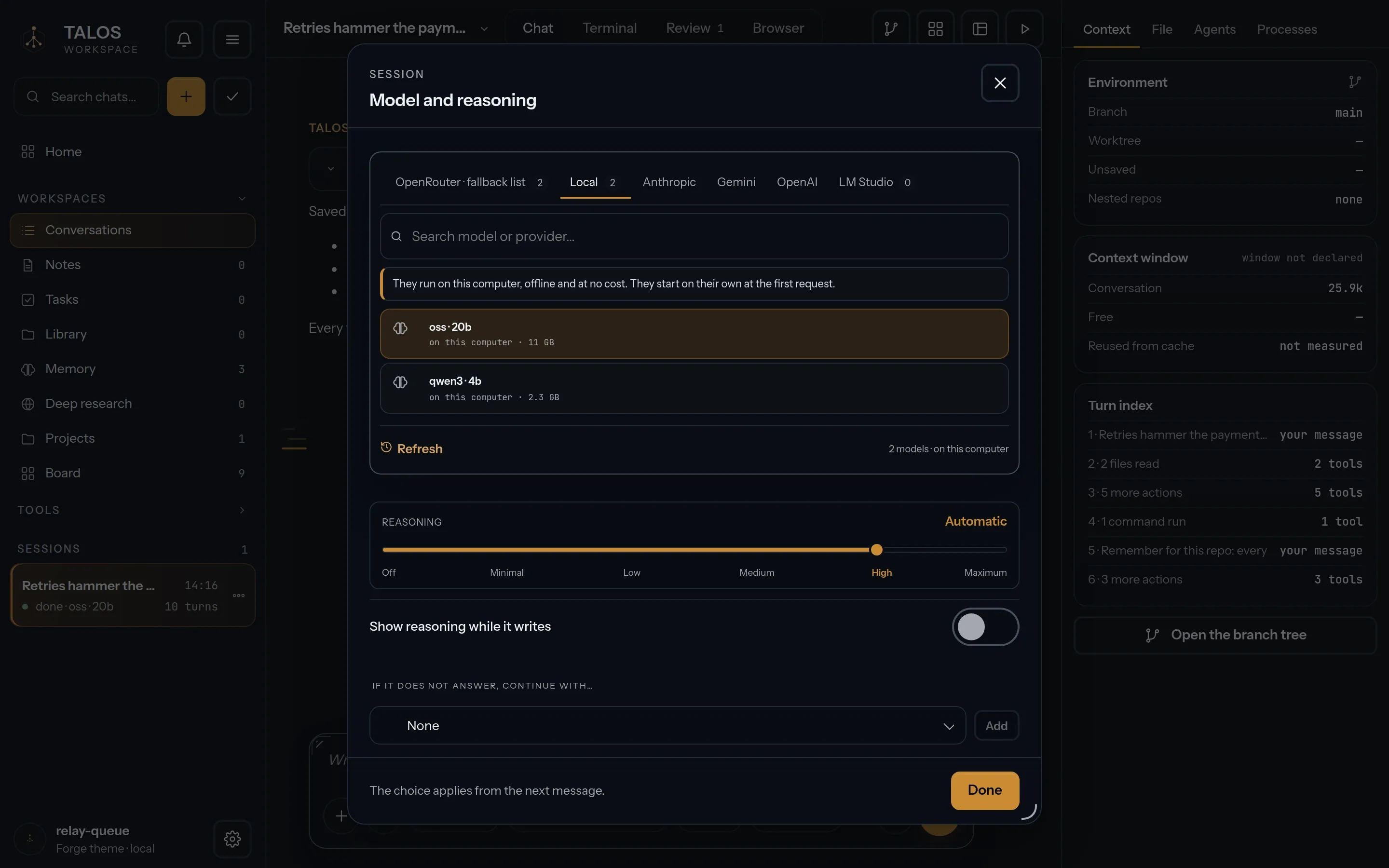
Section titled “On TALOS Desktop”- Local engine. llama.cpp is included, in a CPU and a Vulkan build. The app picks the graphics card when Vulkan lists one, otherwise the processor; the Local engine menu (Automatic · Graphics card · Processor) lets you choose.
- Models. GGUF models download inside the app, in the Model Lab, their size and SHA-256 checked before they are used; a file that does not match is rejected.
- Cloud. 23 providers with your own key, from OpenAI and Anthropic to Amazon Bedrock and Google Vertex AI; Ollama and LM Studio on your computer too.
In the CLI
Section titled “In the CLI”- Local engines, with no key: Ollama, LM Studio and llama.cpp.
- Cloud, 22 providers: OpenAI, Anthropic, Google Gemini, DeepSeek, OpenRouter, Mistral, Groq, xAI, Kimi, Qwen, Z.AI, MiniMax, Cerebras, Together, Fireworks, DeepInfra, Novita, Nebius, Hugging Face, Azure AI Foundry, Amazon Bedrock and Google Vertex AI.
- TALOS never falls back from a local model to a cloud one on its own.
/providersets up a provider,/model(orAlt+P) picks the model, andtalos doctorsays what is ready.
On Android
Section titled “On Android”- On the phone: GGUF models through llama.cpp inside the app. The GPU backend is offered only after the device passes a real qualification check. Before you download, each quantization is measured against the device’s memory.
- Cloud: OpenAI, Anthropic, Gemini, DeepSeek and OpenRouter with your own key, or your own Ollama endpoint.
- Codice, the coding agent, needs a cloud provider for now: a model on the phone cannot drive it yet.
Your keys
Section titled “Your keys”| Surface | Where the key is kept |
|---|---|
| Desktop | The operating system’s keyring, never the browser |
| CLI | The operating system’s credential store, typed in hidden input; never a file. A key already in your environment is used only after you agree once. |
| Android | With the app’s settings, on the phone: there is no TALOS backend. |