The Archive · Android
Install TALOS for Android
What the phone needs, the APK and how to check it, updating without losing data, and the first model.
Checked on Android 0.1.38
A newer version is out (Android 0.1.40): some details may differ.
Requirements
Section titled “Requirements”- Android 8.0 or later (API 26).
- A 64-bit ARM phone or tablet (
arm64-v8a).
TALOS for Android is published as a testing build: it is young, actively used software, and some behavior still depends on the device maker’s Android.
The APK
Section titled “The APK”TALOS for Android is a signed APK from the TALOS releases on GitHub, not from the Play Store.
SHA-256b1ecf9ee1103dbbf7c57ae6162850ecc4f77456ec546adfbc8da283317212833
Check the file first
Section titled “Check the file first”Compare the file with the SHA-256 published with the release:
sha256sum TALOS-<version>.apkThen check that it was built by the repository’s own workflow, with the GitHub CLI:
gh attestation verify TALOS-<version>.apk --repo Ninozzz95/talosInstall and update
Section titled “Install and update”Android asks you to confirm an install from an unknown source: allow it for the app you downloaded the APK with.
To update, install the new APK over the existing app and keep the existing app installed: that preserves its data.
The first model
Section titled “The first model”TALOS works with a model on the phone or with the cloud model you choose.
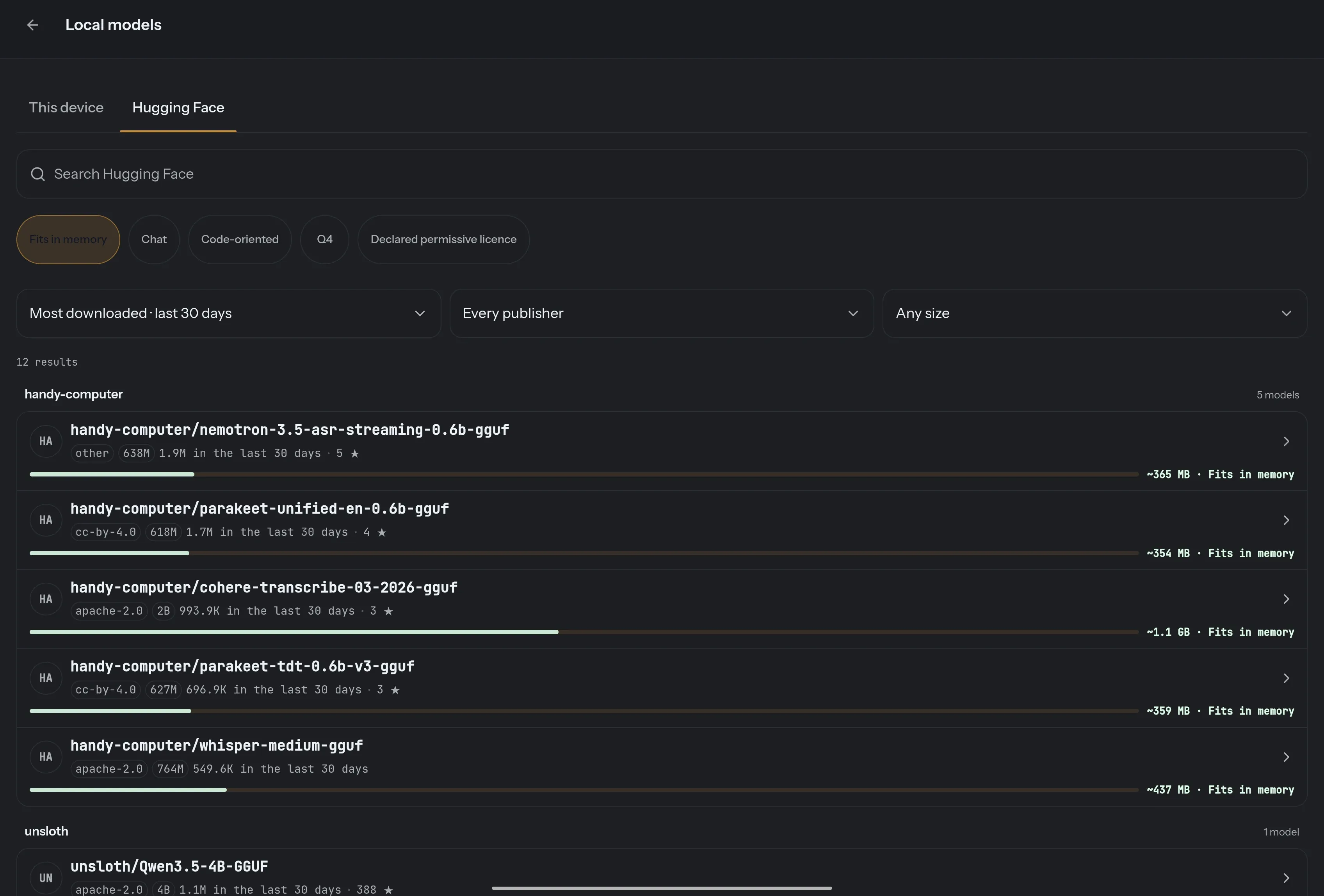
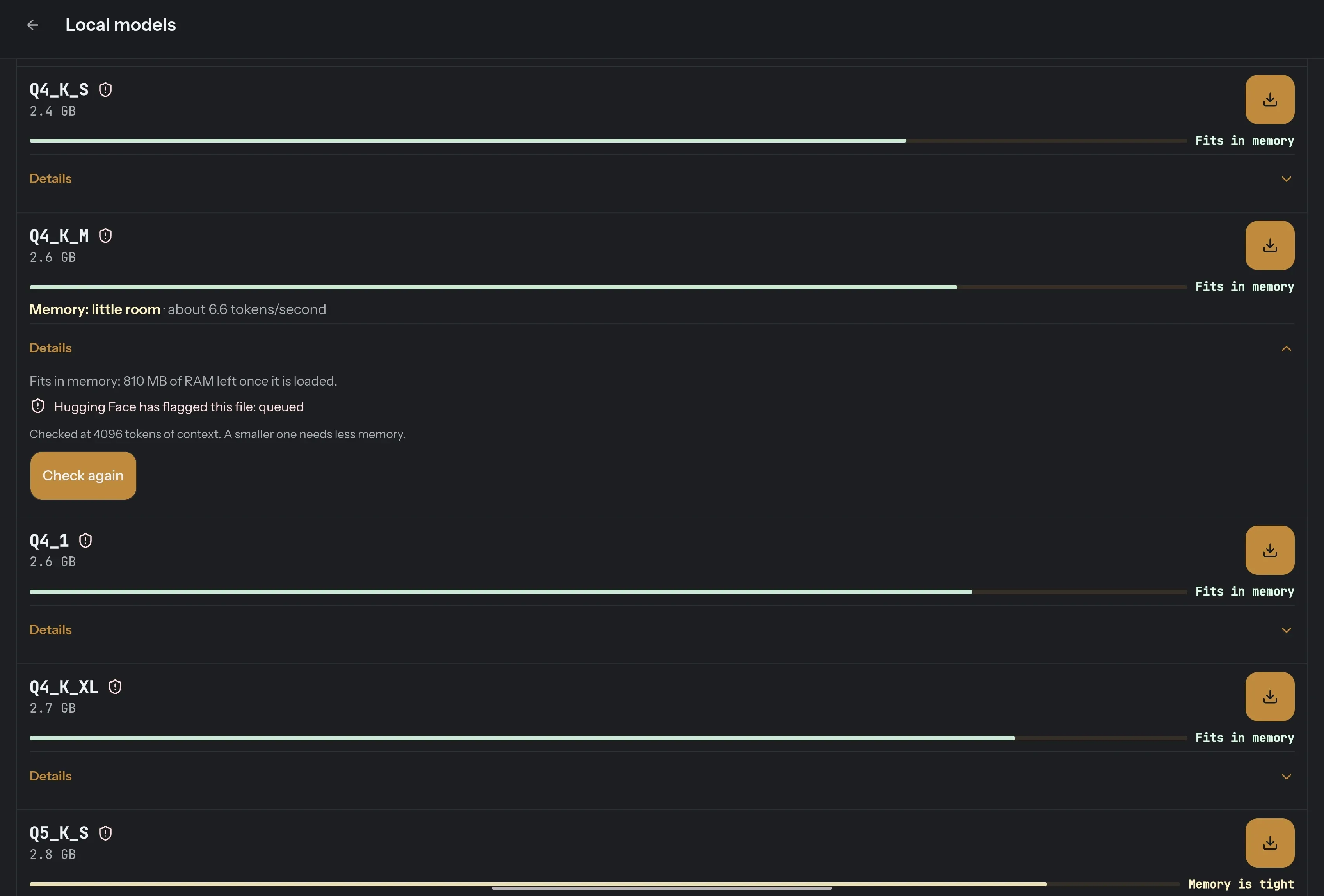
- On the phone. TALOS can browse Hugging Face and filter models by what this device can actually hold. Every quantization is shown against the device’s memory — fits, little room, or tight — before you download it.
- In the cloud. OpenAI, Anthropic, Gemini, DeepSeek or OpenRouter with your own API key, or your own Ollama endpoint.
Permissions
Section titled “Permissions”Android permissions are requested only when a feature needs them:
| Permission | Why TALOS may need it |
|---|---|
| Microphone | Dictation and the local wake word |
| Accessibility | Read the structure of the screen and act inside other apps |
| Location | Location-specific requests |
| Contacts | Find a person for a communication you asked for |
| Calendar | Read or change the calendar |
| Camera | Take a picture for an attachment |
| Notifications | Read, reply to or dismiss notifications where allowed |
| ADB bridge (optional) | Selected system operations Android apps cannot normally perform |
Android permissions are only one layer: every TALOS tool must still pass its own read, write and outbound policy — see The assistant & phone control.