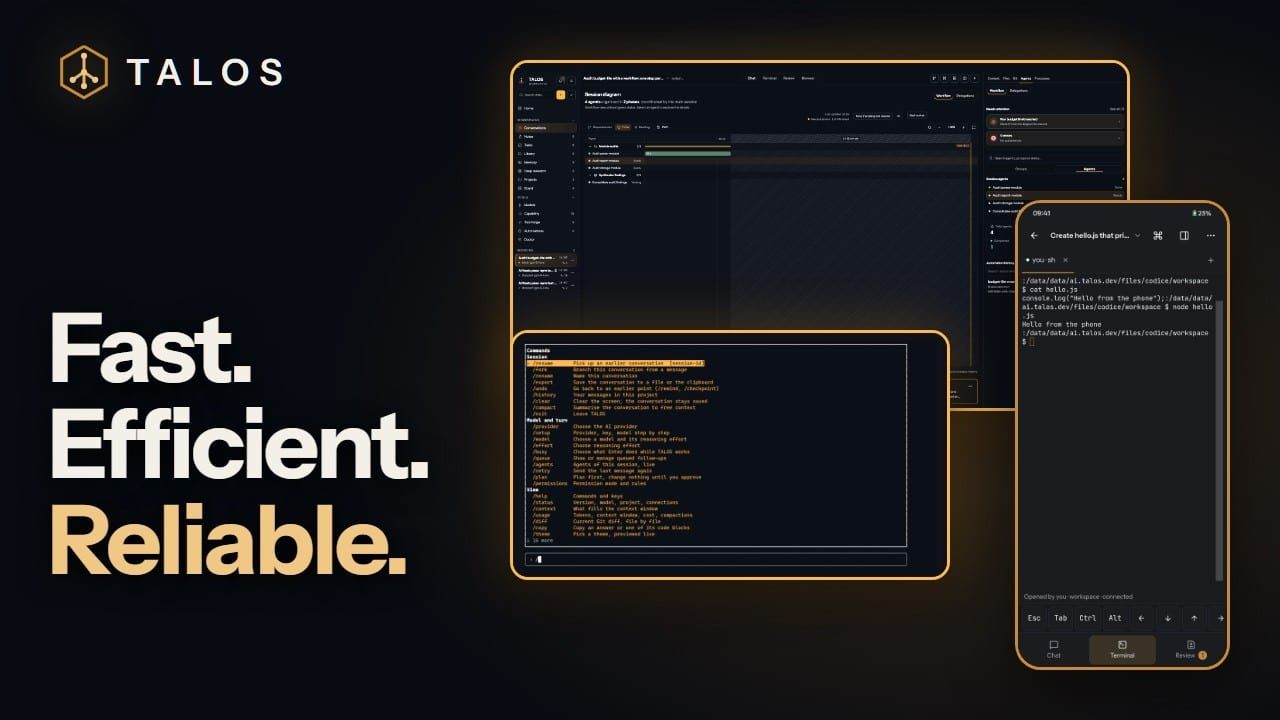
A coding agent that asks before it acts.
TALOS writes, runs and tests code on the model you choose — on your own hardware or with your own key. Every tool asks first, every edit shows its diff, and every turn can be undone.
- asks: Every tool waits for your yes.
- acts: The work splits, and each part runs.
- checks: Done only when the checks pass.
A recording of talos-code 0.6.12 on a demo project, in 4 chapters. The model’s replies are scripted; the CLI, its permission card, its checkpoint and the test run are real.
- Welcome: The TALOS CLI welcome screen on the demo project relay-queue: the model, an example request and the hint line “/ commands · @ mention a file · Shift+Tab permission mode · ? all keys”.
- Ask before edits: The CLI asks “Make this edit?” for src/retry.mjs, showing the diff and four choices: allow once, allow for this session, always allow, or deny.
- Plan mode: The Permissions panel with the four modes; Plan is selected, described as “reads and proposes; changes nothing”.
- Go back: The panel “Go back to an earlier point”: the start of the conversation, one file changed since, and src/retry.mjs among the files that go back.
In the default mode every edit asks first: the diff, then allow once, for the session, always, or deny.
talos-code 0.6.12 · demo project · replayed01Control
Nothing changes until you say so.
TALOS Desktop 0.1.36, filmed on a demo project. Each clip plays while it is on screen.
-
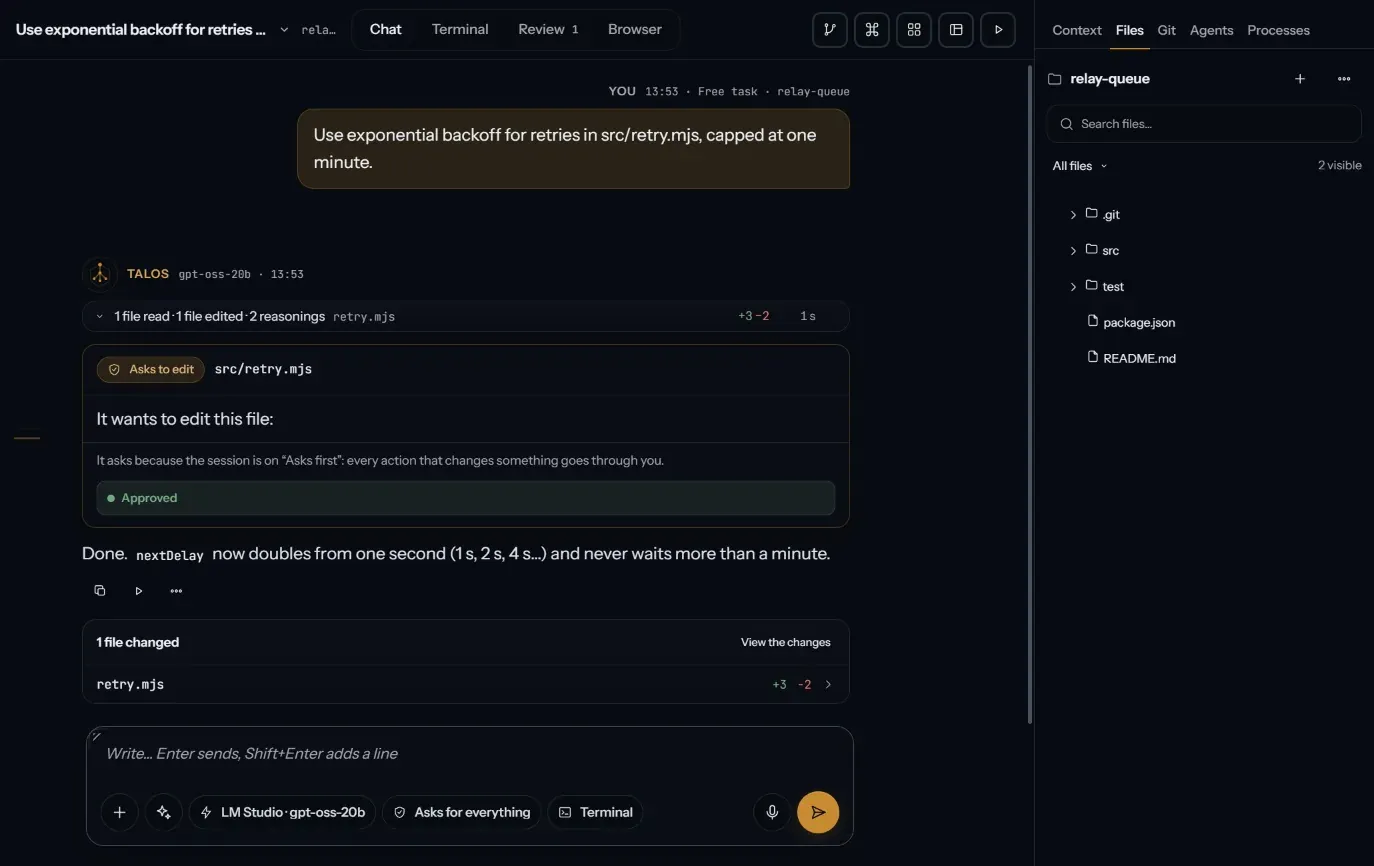
It asks. In “Asks first”, an edit waits on a card in the chat until you allow it. Nothing touches your files before that. -
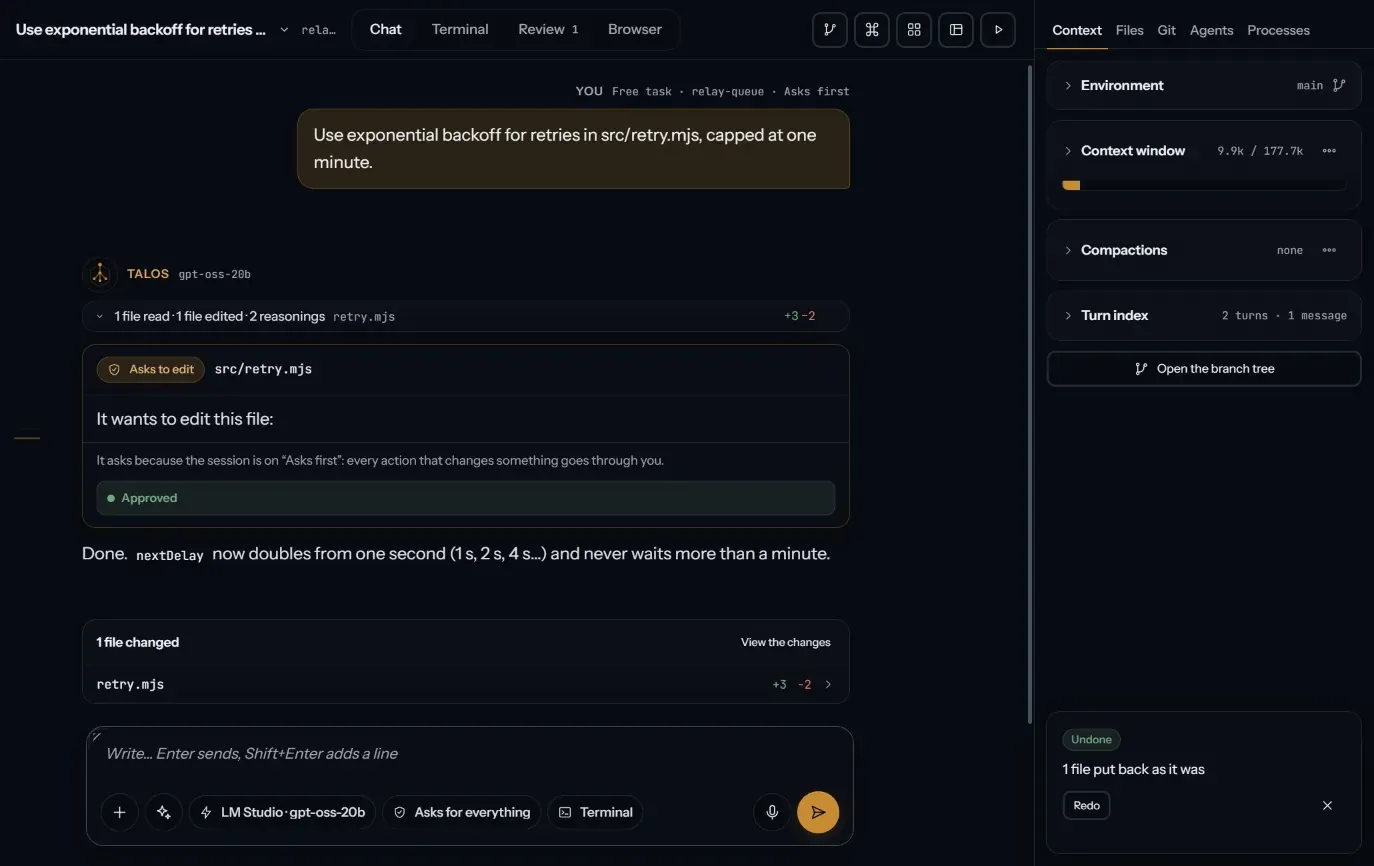
It takes a turn back. Undo puts back the files a turn changed, after showing you the diff. Redo brings them back again. -
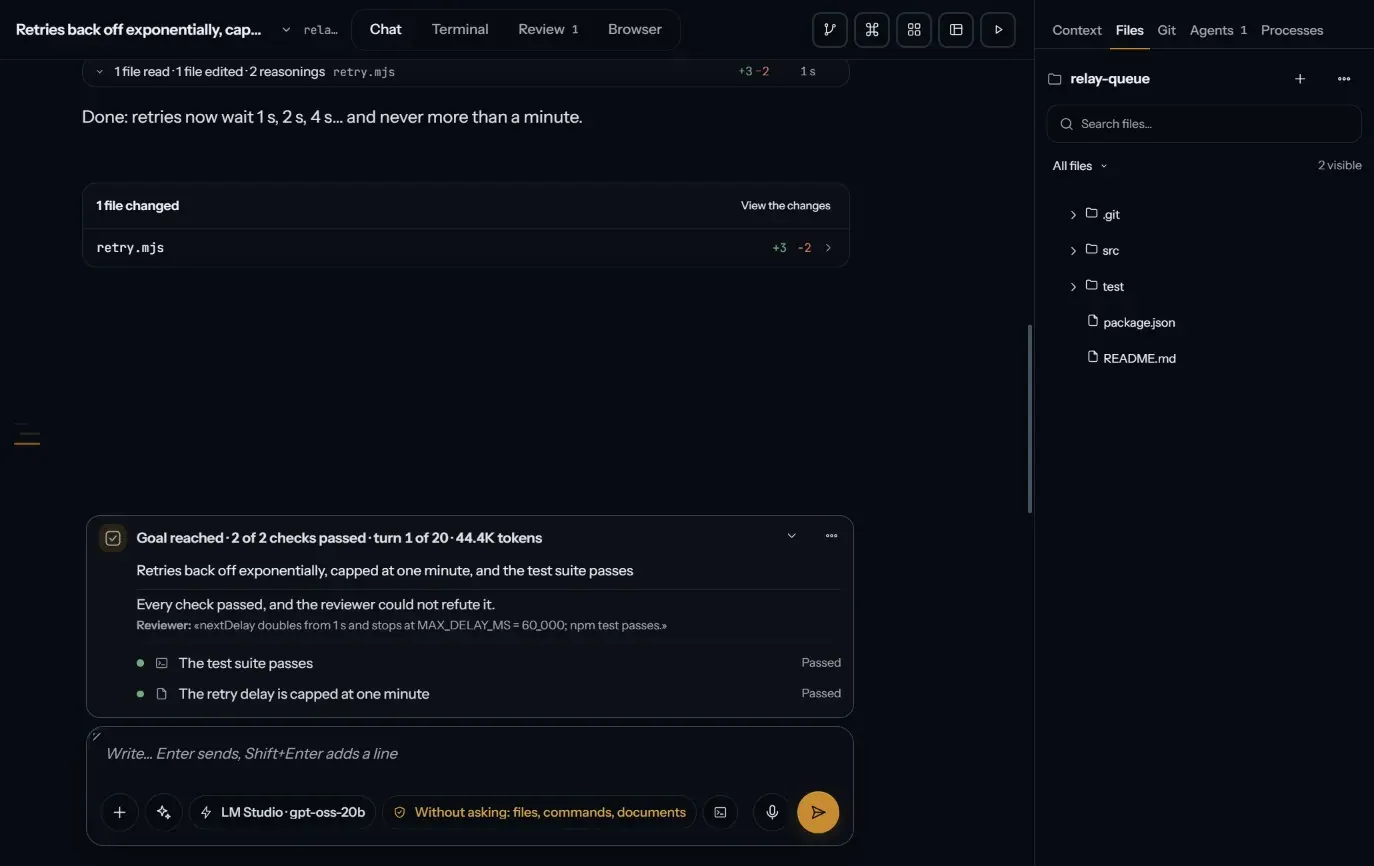
It proves it is done. With /goal, TALOS proposes the checks, you confirm them, and it keeps working until every one passes. -
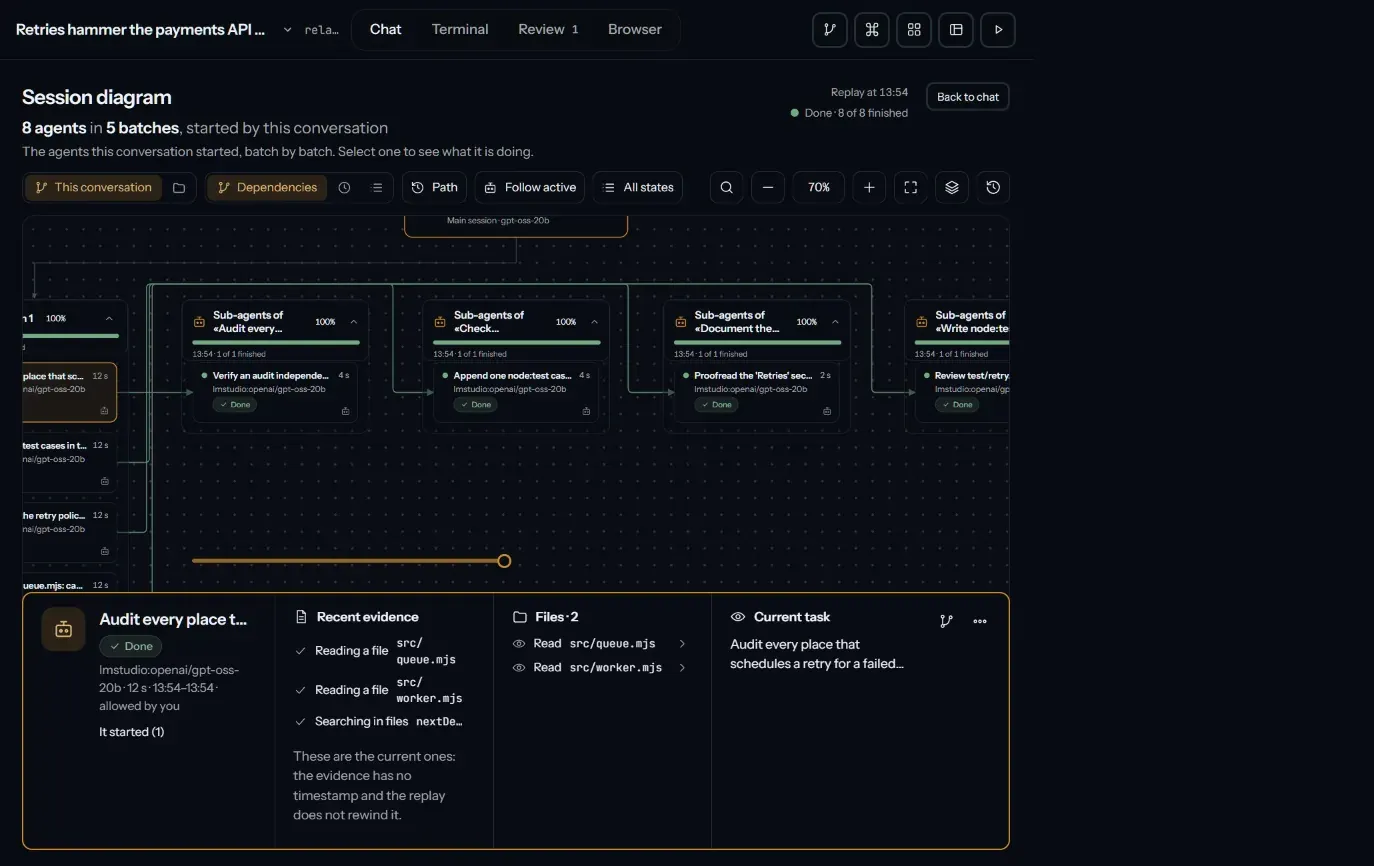
It shows who did what. Every delegation is drawn on the session diagram: four agents, each checked by its own verifier.
TALOS Desktop 0.1.36 · demo session · stand-in model · no sound
02Three apps
One way of working, three places to do it.
03Your models
Your model, your machine, your key.
TALOS is the harness, not the model: you choose what thinks, and where.
- On your hardware
- llama.cpp runs GGUF models on the CPU or, through Vulkan, the GPU of your PC; on an Android device, on its CPU, GPU or Qualcomm NPU. Ollama and LM Studio work too. Offline, once the model is there.
- With your key
- OpenAI, Anthropic, Gemini, DeepSeek, OpenRouter and more — 22 providers in the CLI, 23 in Desktop. Your prompts go to the provider you chose, and nowhere else.
- Account
- None. There is no TALOS account, and no TALOS cloud between you and the model.
- Telemetry
- None, in all three apps.
- License
- Free software under the AGPL-3.0. The source is on GitHub.
04Videos
Watch it work.
Demos and walkthroughs from the TALOS channel. Each video opens on youtube.com; nothing from YouTube loads on this page.
05Install
Start where you work.
Every file, its checksum and the older versions are on Download.
-
CLI
npm i -g talos-codethen run
talosin a project · Node.js 24 (24.18 or later in the 24 line) -
Desktop
TALOS-Setup-0.1.38.exe · 217 MB · Public release · no administrator rights
-
Android
TALOS-0.1.45.apk · 147 MB · Testing build · Android 8.0 or later (API 26)