The Archive · Desktop
Workspace, memory & agents
A session in TALOS Desktop — agents and their verifiers, the terminal and the review, and what the workspace keeps.
Checked on Desktop 0.1.15
A newer version is out (Desktop 0.1.25): some details may differ.
A session
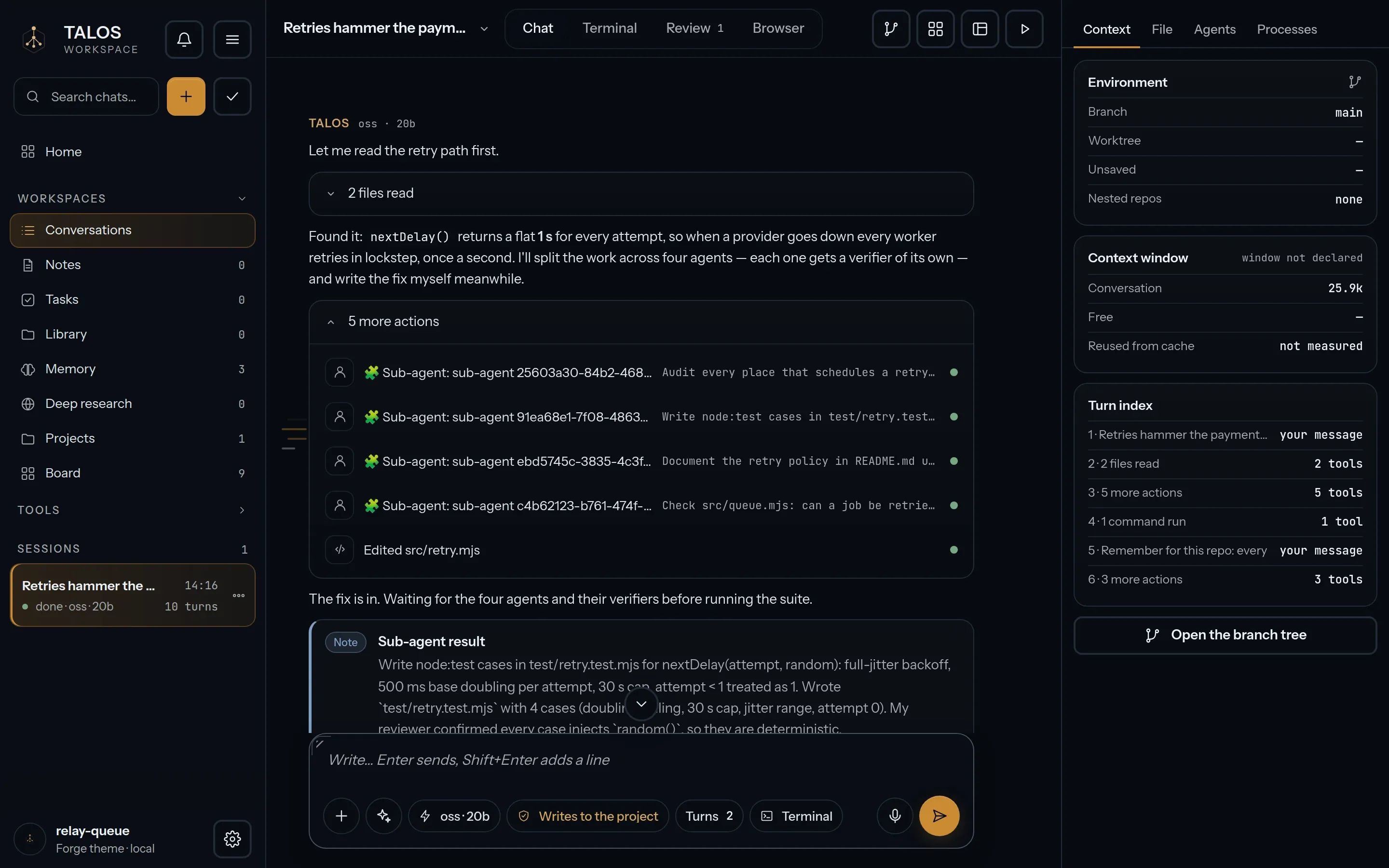
Section titled “A session”A session is a conversation with an agent that works in your project. Its activity streams as it happens: the tools it calls and what they return. Each tool runs under a permission you set — allow, ask or deny — and the permission of a run is shown under your message.
Agents and verifiers
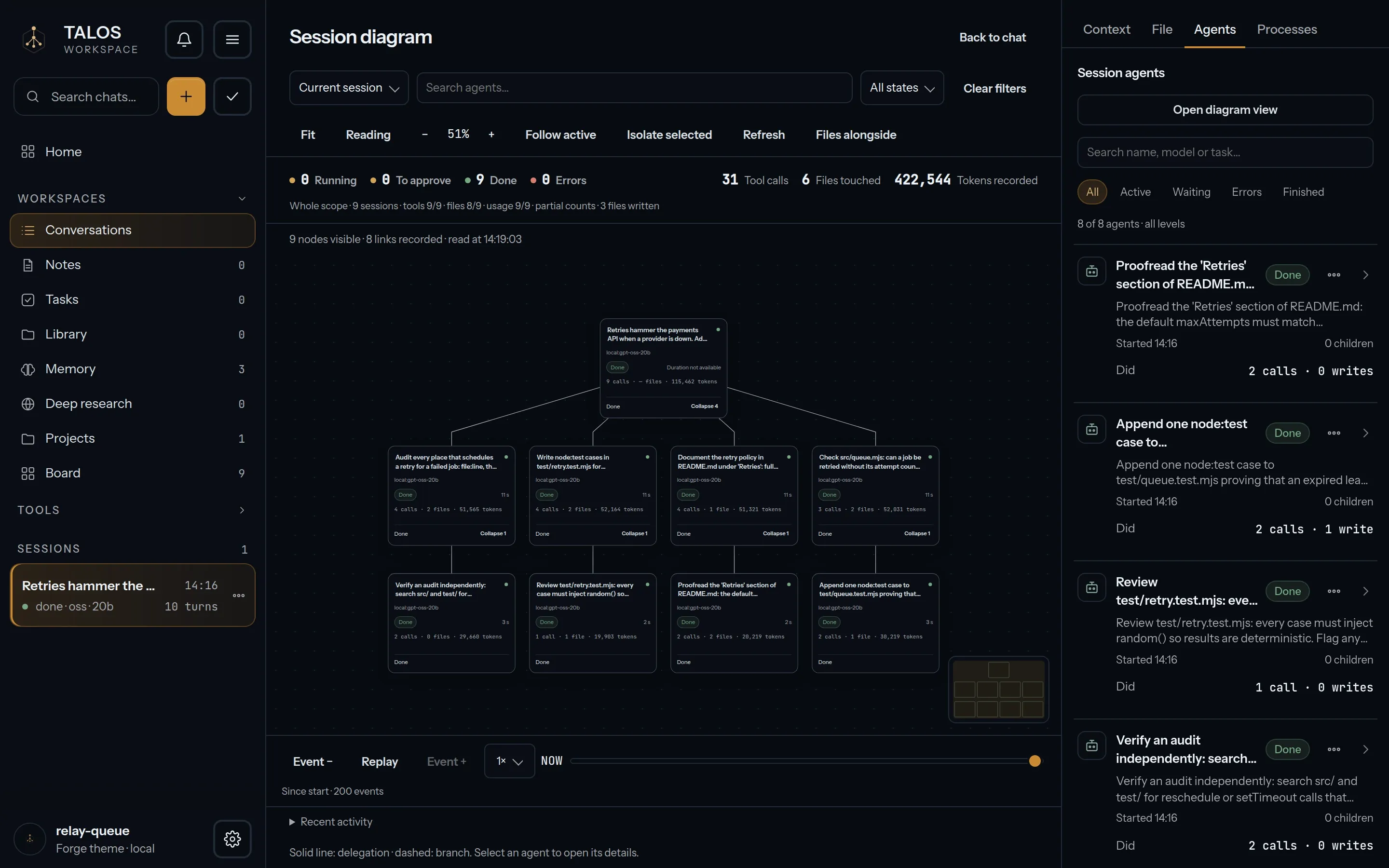
Section titled “Agents and verifiers”A request can be split across several agents working in parallel, each with a verifier on its result. The session diagram shows it on three levels — the session, its agents and their verifiers — and you follow it live.
The terminal and the review
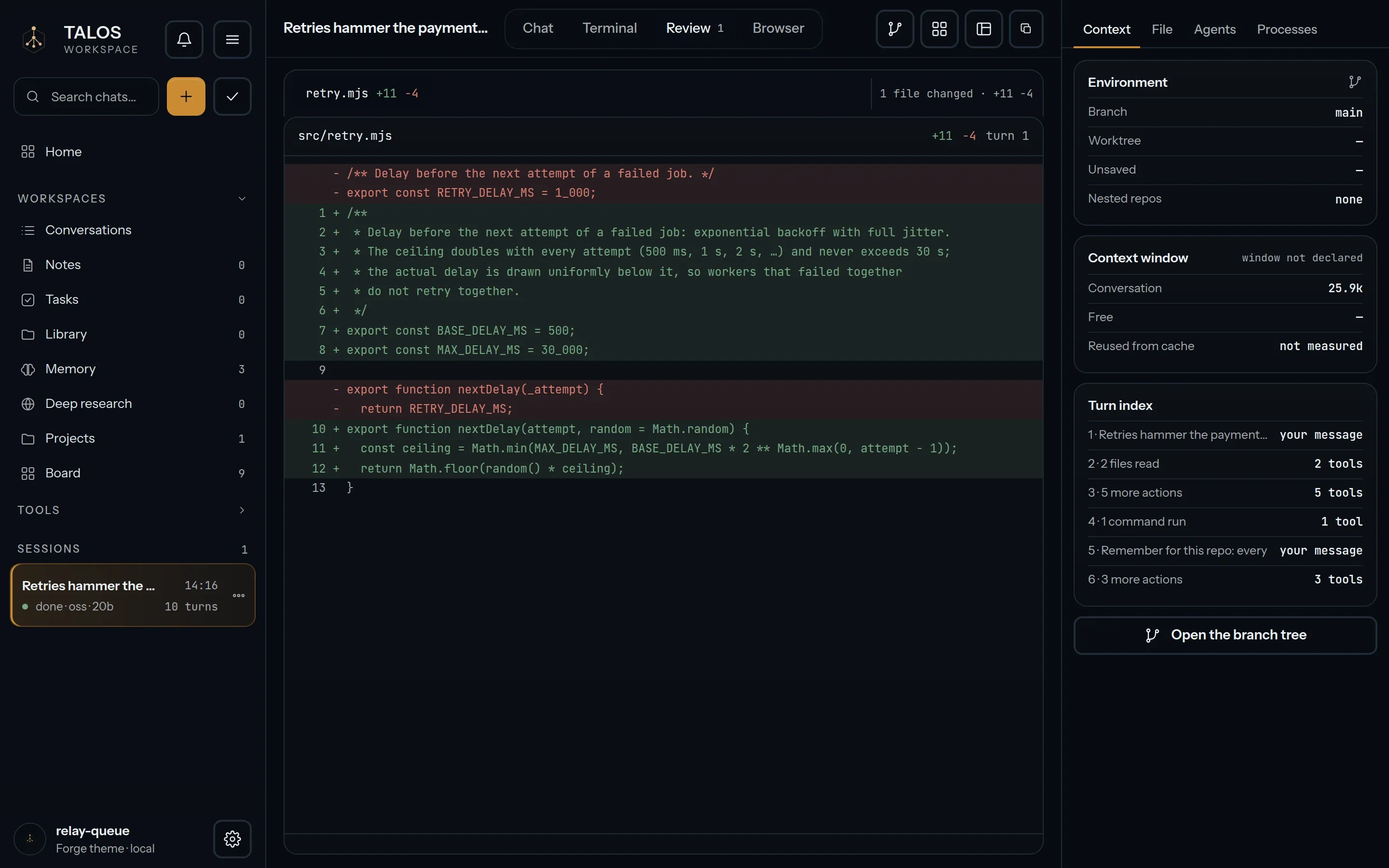
Section titled “The terminal and the review”- Terminal. A real terminal, not a transcript.
- Review. The diff of what the session changed, before you accept it.
What the workspace keeps
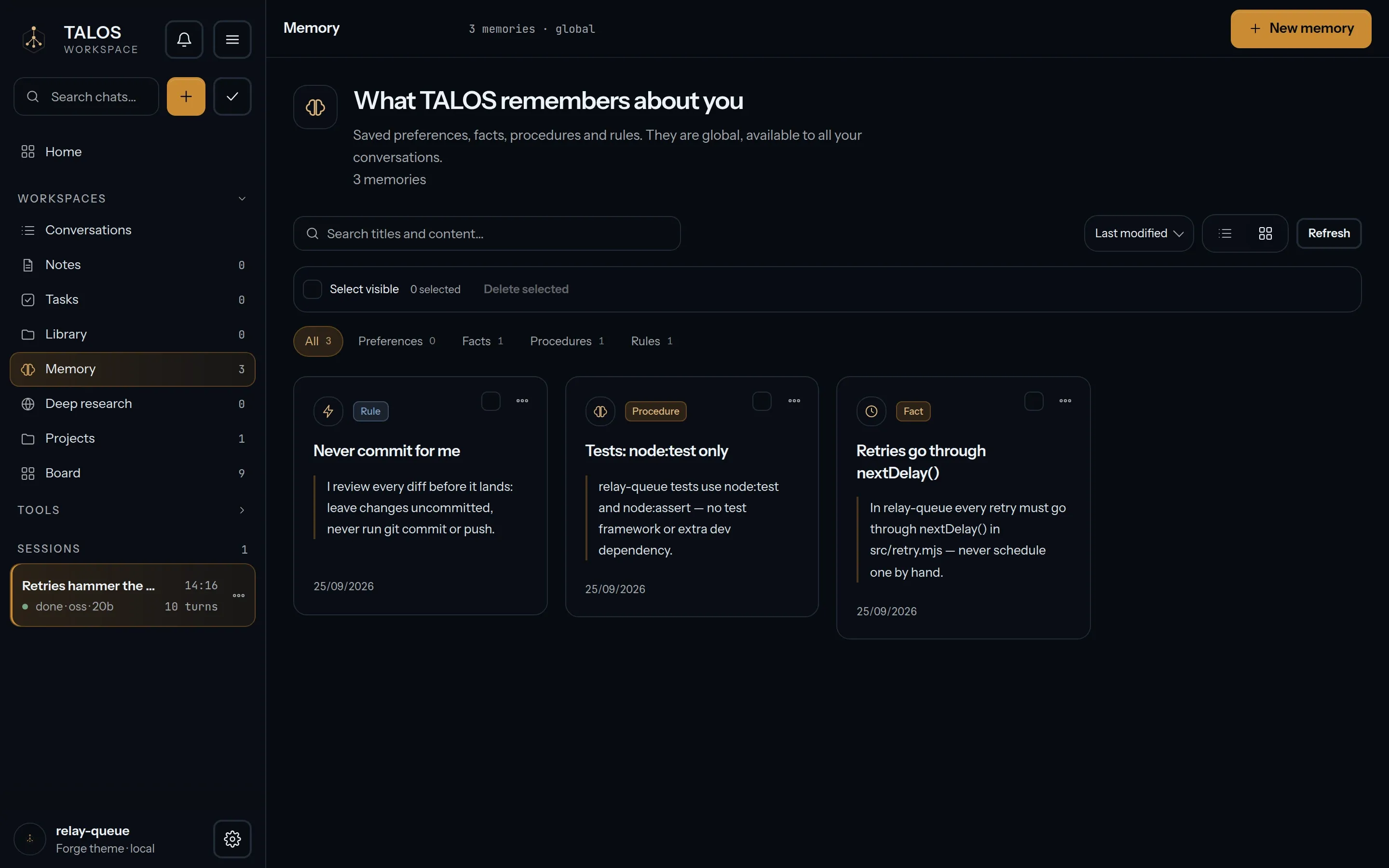
Section titled “What the workspace keeps”Six systems stay with the workspace: Library, Notes, Tasks, Memory, Deep Research and Tool Forge. Memory holds what a session should carry forward — a rule, a procedure, a fact.
Automations and extensions
Section titled “Automations and extensions”- Automations are scheduled runs, each with its own history.
- Extensions: hooks (trusted by their SHA-256), MCP servers, skills and plugins.
Board and Doctor
Section titled “Board and Doctor”- Board lists the sessions with their title, model and an honest status: concluded, interrupted or in progress.
- Doctor is a read-only report of how ready the local setup is.
On the record
Section titled “On the record”Every session is a replayable event log, and every operation with side effects leaves a signed receipt. The local service listens on this computer only.