Desktop · Guides
Undo the file changes of a turn
Put the project's files back as they were before one of your messages — see the diff first, keep what you changed yourself, and redo if you change your mind.
Checked on Desktop 0.1.36
A newer version is out (Desktop 0.2.4): some details may differ.
TALOS can put the folder back as it was before one of your messages. Everything after that message is undone too.
From the window
Section titled “From the window”- Hover one of your messages, open its menu (More actions on your message) and choose Undo file changes from here.
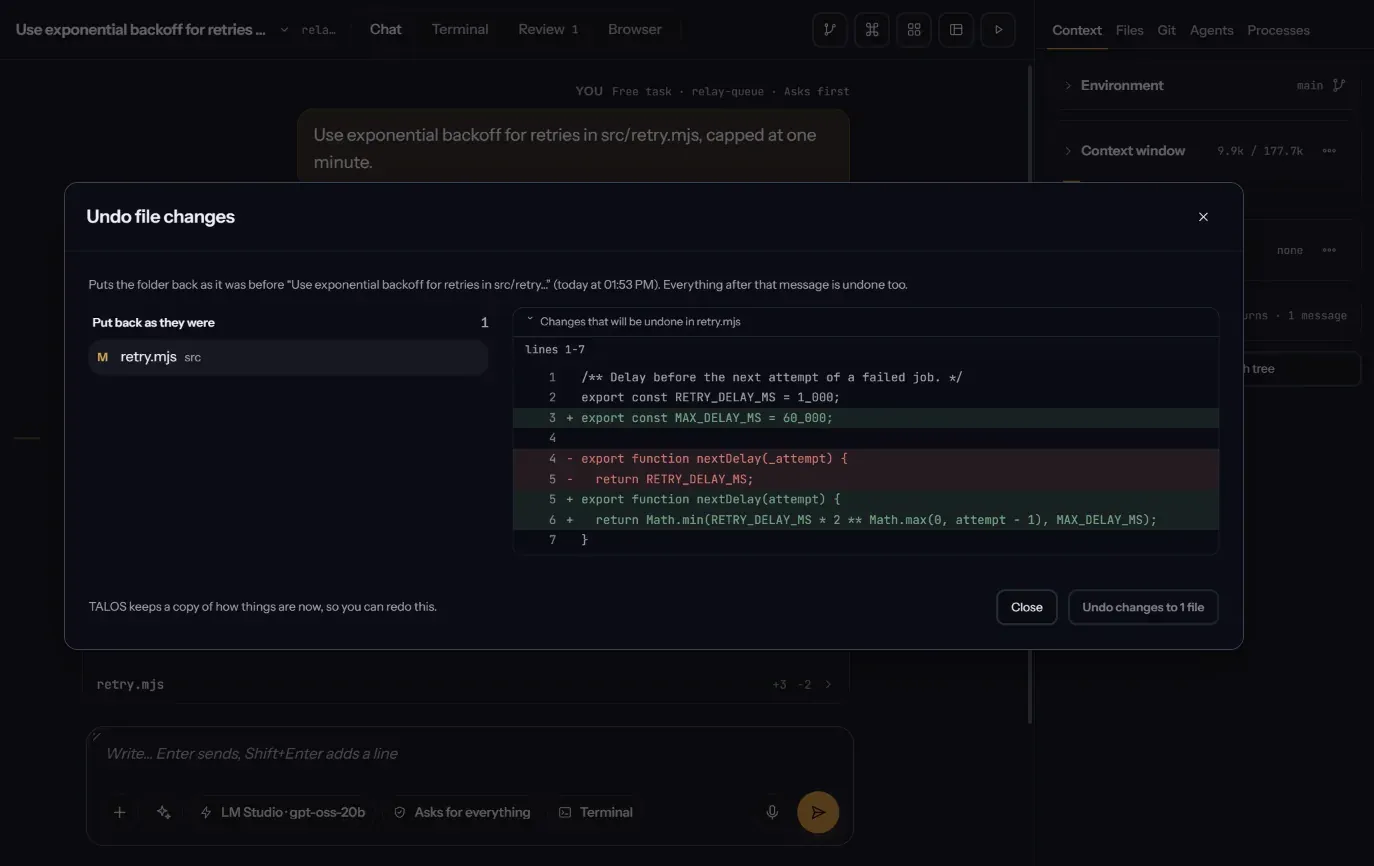
- The Undo file changes window lists the files under Put back as they were, each with its state (Modified, Created by TALOS, Deleted by TALOS). Select one to see Changes that will be undone in it.
- Choose Undo changes to 1 file (or N files). A notice confirms what was put back, with Redo.
What stays as it is
Section titled “What stays as it is”- A file you changed after TALOS, or one a command changed, is listed under Left as they are. Choose Include to put it back anyway.
- Files outside the session’s folder, and files over 10 MB, are not covered; the window says which.
- TALOS keeps a copy of how things are now, so Redo brings them back — except files you changed afterwards.
When the model proposes it
Section titled “When the model proposes it”The model can propose an undo with a card in the chat: Undo file changes? with the diff of each file. Choose Undo changes or Keep as it is: you decide. A paired device can undo too (see Remote Control).
If it cannot be undone
Section titled “If it cannot be undone”The window says why: Git must be installed on this computer (2.25 or newer), the folder is a whole disk or your user folder, the folder has more than 50,000 files, or the copy from that moment is not there.